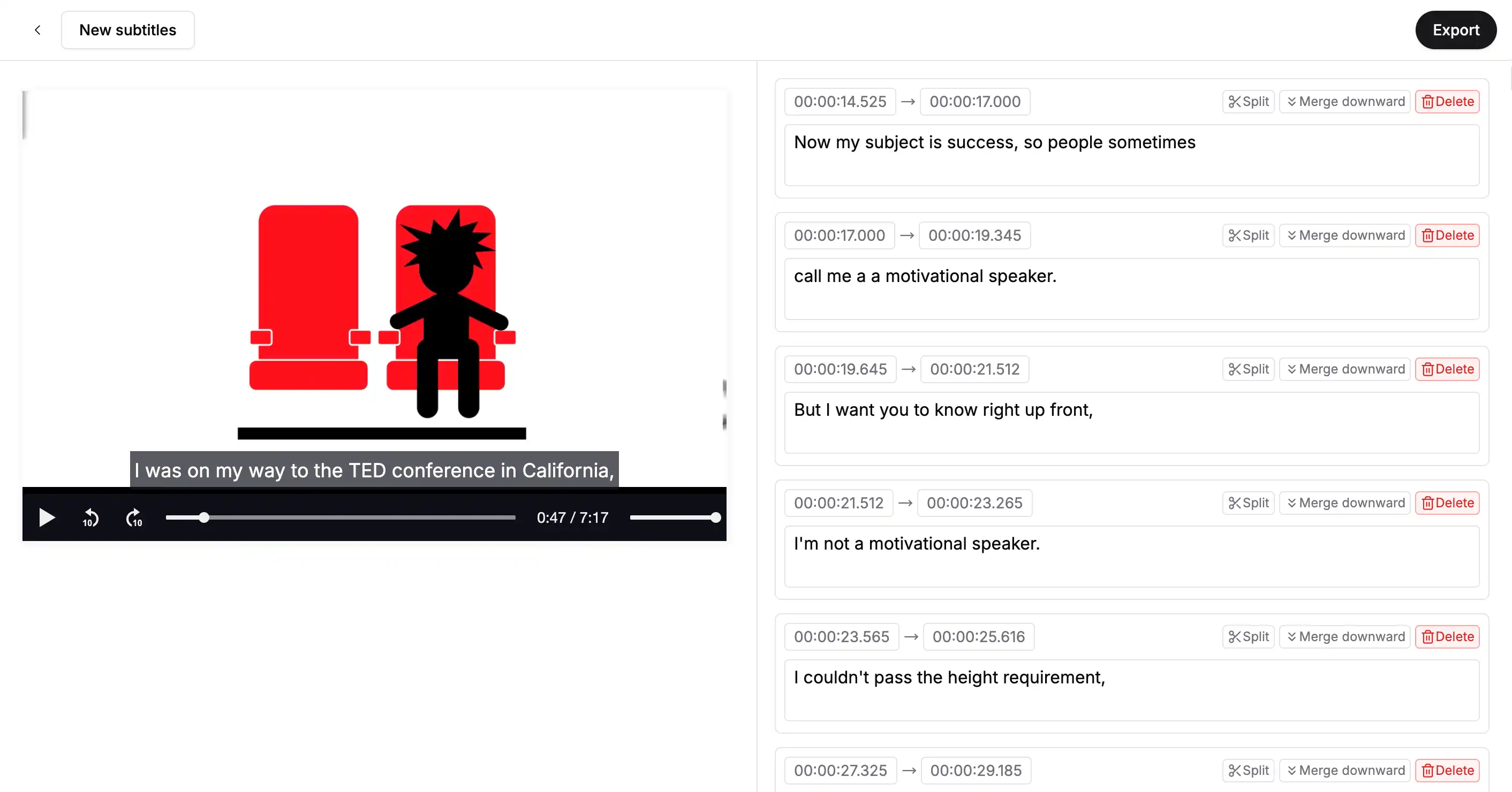
How to use the subtitle editor?
Create or upload subtitles
Start by either creating new subtitles or uploading an existing subtitle file from your device.
Edit subtitles
Edit the subtitle text, adjust timing, or reformat as necessary. Feel free to add, delete, or modify subtitle lines to sync with your video.
Export
When you're done editing, export the subtitles in your preferred format (SRT, VTT, ASS, TXT) and download them.
Frequently Asked Questions
The online subtitle editor lets you create, modify, and personalize subtitles for your videos right from your browser. This free tool makes syncing text with video simple, making it perfect for video creators, editors, or anyone in need of subtitles. You can either start fresh by creating new subtitles or upload an existing subtitle file. From there, you can adjust the timing, text, and formatting to align with the video. When you're done, you can export your subtitles in formats like SRT, VTT, ASS, or TXT, so they can easily be added to your video.
Yes, the online subtitle editor is designed for ease of use, even for those new to the process. It has a straightforward interface that lets you create or upload subtitles in just a few clicks. Editing subtitles is simple: just adjust the timing or change the text directly in your browser. There's no need to download or install anything, and the platform allows you to easily add, remove, or adjust subtitle lines to match the video perfectly. With clear instructions and easy-to-follow navigation, you can quickly finish your subtitles, making it an ideal tool for anyone looking to improve their videos.
Our Services
Transcription
Transcribe your videos or audio into accurate text.
Subtitle generator
Generate accurate subtitles in just a few clicks.
Subtitle translator
Translate subtitles into multiple languages.
Multi-language support
Supports multiple languages.
Generate subtitles instantly with our AI tool
Start using our powerful subtitle generator to transcribe, create, and translate video subtitles with ease. No experience needed—get started for free today!